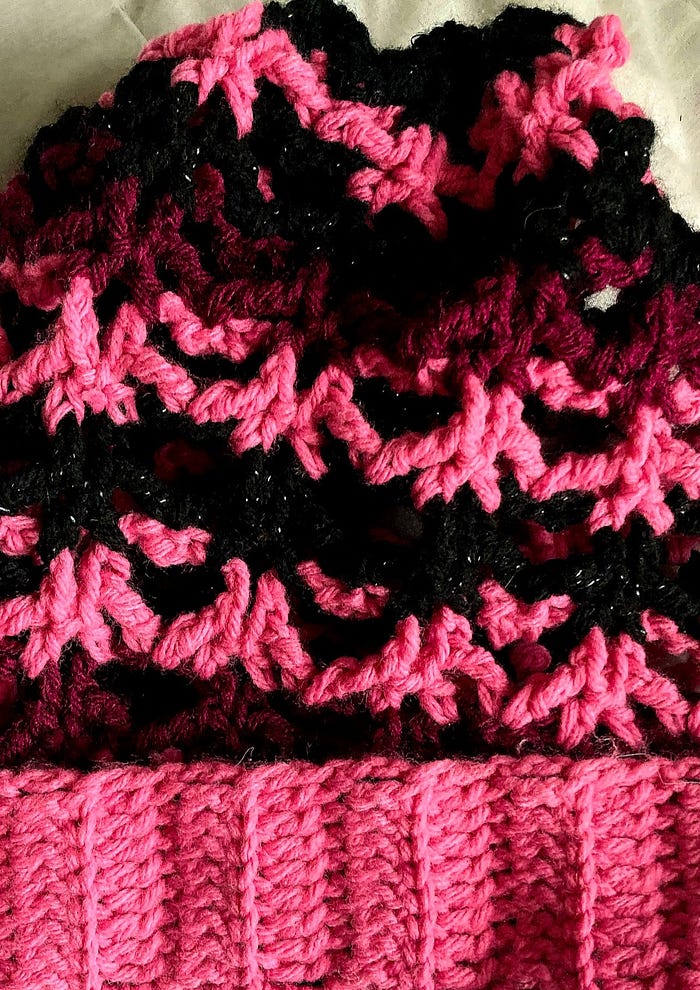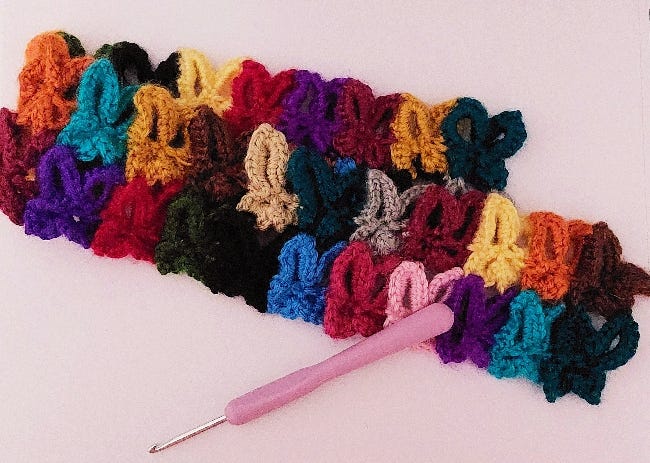
Coming out of 2024, I felt completely drained. Years of burnout had tangled into a dense knot of tension I could practically feel sitting in my chest. I knew I needed to redirect that energy by transmuting it into something playful, light, and maybe even a little freeing.
That’s how I ended up fixating on butterflies.
Why Butterflies?
Throughout 2025 so far, I’ve been on a bit of a butterfly tangent. Maybe it’s because butterflies are known to represent transformation, personal growth, freedom, and new beginnings. These are all universal themes that apply to the human condition, which is why so many of us relate to them. I know the meaning completely resonates for so many, including myself.
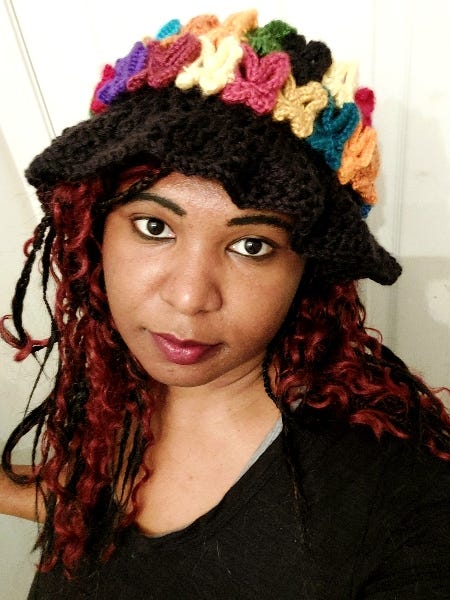
Wearing the butterfly hat
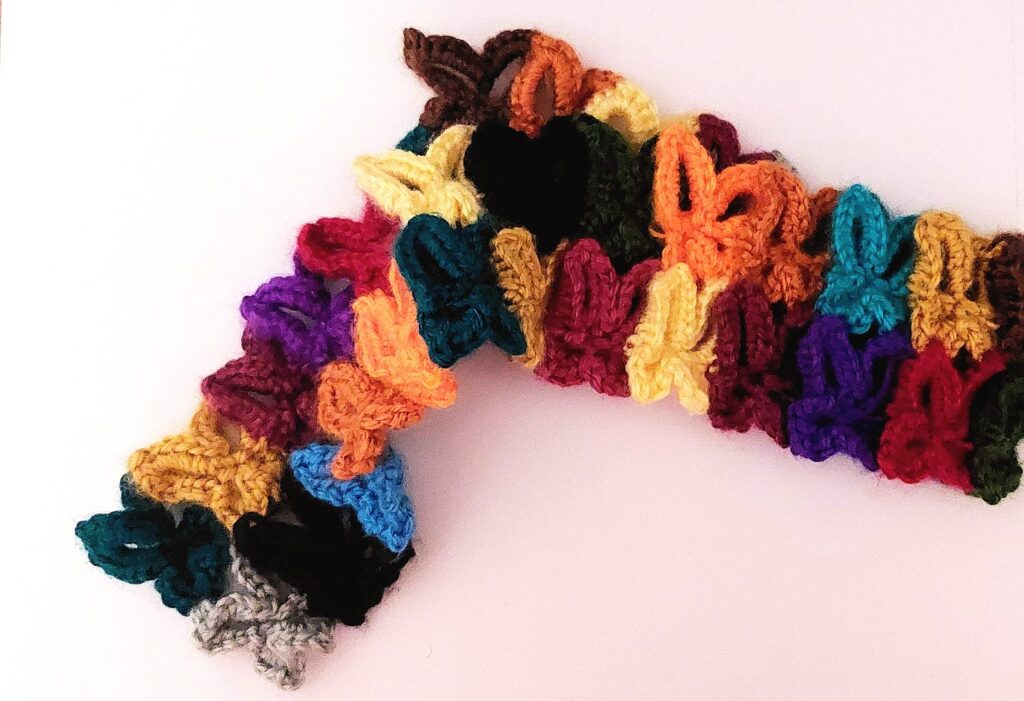
Personally, I don’t see enough butterflies around where I am anymore, so I created a world where they keep company on my cranium — and if you prefer it that way, on yours as well! We’ve got a butterfly squad on our hands. Well, more like our heads.
They’re all soft, colorfully vibrant, and ready to fly out of this madness.
Crocheting Through It
I started the pattern for the butterfly appliqué on December 24, 2024. The idea came together slowly over the next month. I knew I wanted to make something wearable but wasn’t sure what form it should take. A top? A bag? A scarf?
Eventually, I settled on a mesh hat. Something light and open, but with enough structure to serve as a landing zone for a whole butterfly crew.
From there, the concept just spiraled — in the best way yet.
Many months passed since that time, and now we’re here. It took a lot for me to reach a point where it felt I could finally get this out there, but we’re finally here.
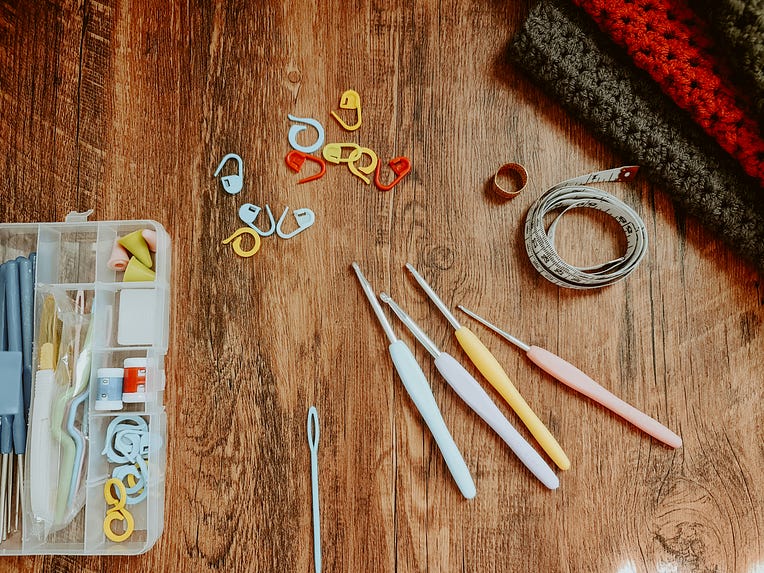
Tools, Stitches, and Materials
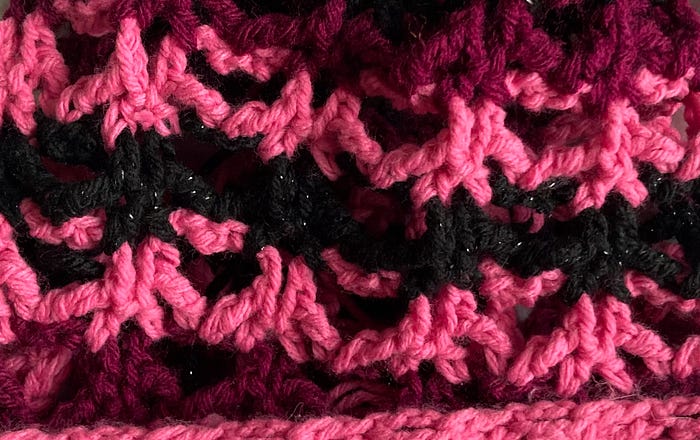
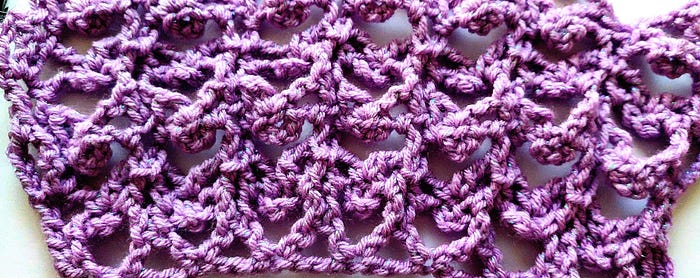
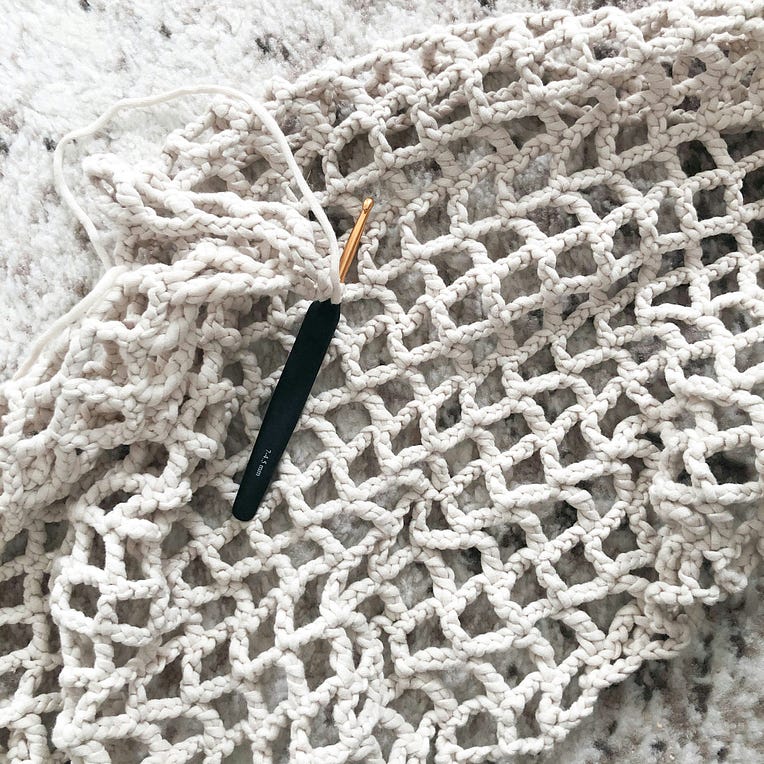
This butterfly shape is built from a magic ring, and is about 2 rows to make. However, the hat actual hat (sans butterfly garland) is created using some variation of the filet stitch. In this case, I used the standard double crochet (dc) to build the filet stitches.
To create this hat, I used:
Medium (4) weight yarn
Caron’s Simply Soft Yarn in multiple colors
A pair of scissors
Stitch markers
1 darning needle
And a whole lot of emotional unraveling.
Butterfly Garland Construction
Here’s how the butterfly garland works:
Each butterfly is created individually, starting with a magic ring.
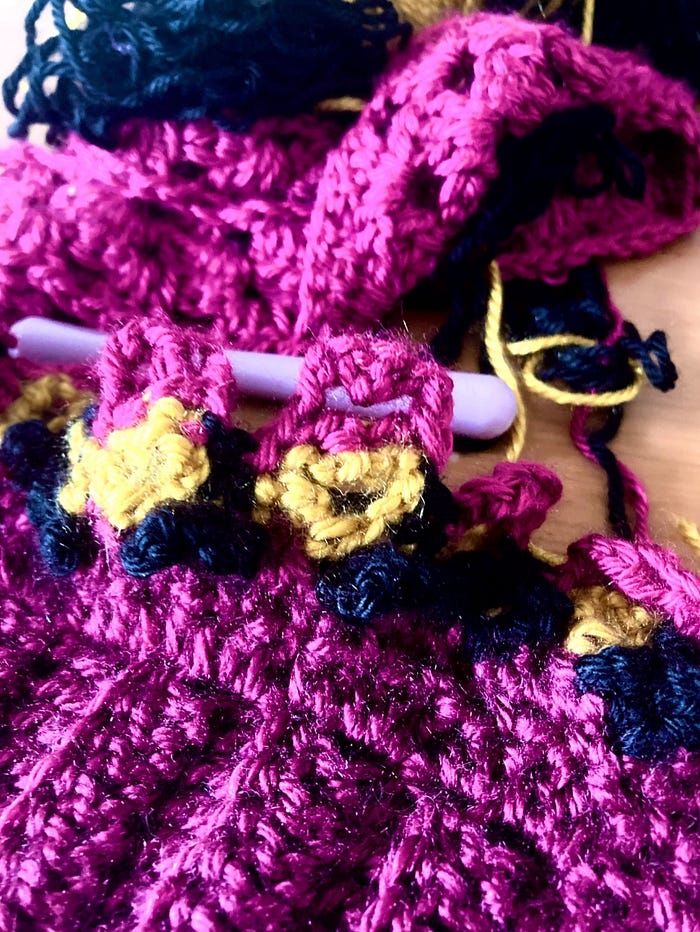
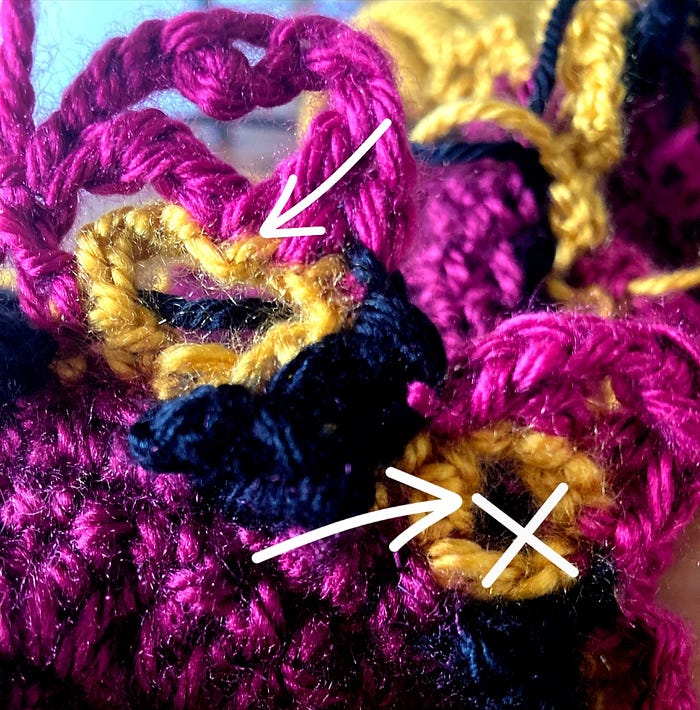
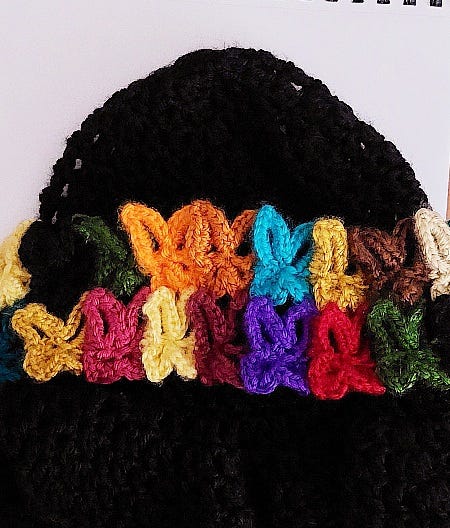
They’re then crocheted into a single garland row by joining their top wings together at their edges.
The full design is multi-tiered, meaning one row of attached butterflies sits atop another. To achieve this:
The top wings of one butterfly row are connected to the bottom wings of the row above.
This creates a layered, almost floating effect where each butterfly slightly cascades off the one(s) before it.
And the result? A vibrant garland of fluttering forms that feels alive with movement.
Level of Difficulty
This pattern is beginner-friendly with a touch of intermediate flair. If you’re comfortable with the basics , like:
Chain stitches (ch)
Single crochet (sc)
Slip stitch (sl st)
Making a slip knot
Forming a magic ring
— you’re already good to go! Now, the more intermediate challenge comes in when you’re joining the butterfly appliqués together, especially to create the layered garland effect. But don’t worry — with a bit of patience and practice, it’s absolutely doable (and worth it).
Optional: Sewing on the Garland
Now, here’s the controversial part (don’t come for me):
You do not have to sew the garland onto the hat. Why? Because maybe you want to switch it up. Maybe you haven’t settled on a base hat color yet. It could also be that you just want to swap the garland across different hats depending on your mood or outfit. You may even choose to wear it as a stand-alone headband!
That said, I personally chose to sew mine on out of sheer preference. But this part is definitely up to you! Let your butterflies be as free as you want them to be, really. : )
Final Thoughts
This butterfly hat isn’t just a hat. It’s a symbol of everything some of us may be pushing through. Of what it means to take your burnout and channel it into something soft, bright, and a little whimsical. It’s a wearable metamorphosis — a way to remind myself (and maybe others) that sometimes, even in the messiest of cocoons, something beautiful is waiting to unfold.
We’re all tired in some way. But maybe, just maybe, we can stitch something joyful out of that exhaustion.
🦋🧶
P.S. I’m working on a video tutorial breaking down the process of creating the butterfly appliqué using a magic ring for those who want to try it themselves. For anyone interested, it will be posted soon. Happy crocheting!
What about you? Have you had a moment where a small creative act shifted your whole day?
A butterfly is more than a colorful form that flutters through the air. It’s also geometry in live form. A living proof of balance that manifests as one of the most eye-catching insects out there. Each wing mirrors the other with precision, shaped not just by genetics but by the logic underlying equations, algorithms, and stitches. Nature crafts them how a maker works with yarn: step by step, pattern by pattern, or until symmetry becomes second nature.
This post is for anyone who’s ever thought math could be more approachable — especially when viewed through the lens of other mediums, like code and crochet. In this post, we continue our journey of visualizing math through art by exploring the butterfly curve. A polar equation that captures the symmetry of nature, giving these creatures their wings to fly.
This is my personal way of connecting the butterfly curve to crochet techniques. It’s not a formal mathematical or crochet standard.
How did the butterfly curve come about?
The origin of the butterfly curve can be traced back to 1989. It was discovered by Fay H. Temple, and his findings were originally published in The American Mathematical Monthly. Art and science do not have to be mutually exclusive to appreciate an overlap, and Temple alludes to this, saying:
“The classical rose curves and the like do not seem to provoke much student enthusiasm, but sketching more complicated curves, with the aid of a computer, seems to spark more interest and often brings surprises.”
A look at the sinusoidal properties from trigonometry
The butterfly’s shape shares mathematical traits with other complex patterns found in nature. Particularly, through the sinusoidal waves of sine curves. These wave-like elements create the curved edges of butterfly wings, all converging from a central plane. In my previous article, I wrote about the mathematical properties responsible for how roses form when they grow. For a deeper understanding of how these equations work, you can read more about other polar equation types here.
This is denoted by the equation:
Figure 1. The Butterfly Curve Equation
Next, we look at how the butterfly curve combines exponential growth (exp(cos(t)), symmetry from cosine oscillations (-2 * cos(4t)), and fine detailing (sin⁵(t/12)) to create a shape that grows and contracts in a consistent way across all four quadrants. These mathematical terms together allow the curve to capture the symmetrical outline of butterfly wings, with both large-scale structure and intricate detail.
You can graph the curve hereon the Desmos calculator. This equation features three major parts inside the parentheses. Each term represents a different main section of the butterfly.
Looking at the equation from the perspective of crochet
Additionally, I thought it would be helpful to break down the equation into its respective zones on the coordinate plane. Specifically, we gain a clearer image by analyzing how the top, bottom, left, and right butterfly wings form. Then, we will examine this through the scope of a crochet project to better understand its real-life application.
1. Defining the Butterfly’s Body
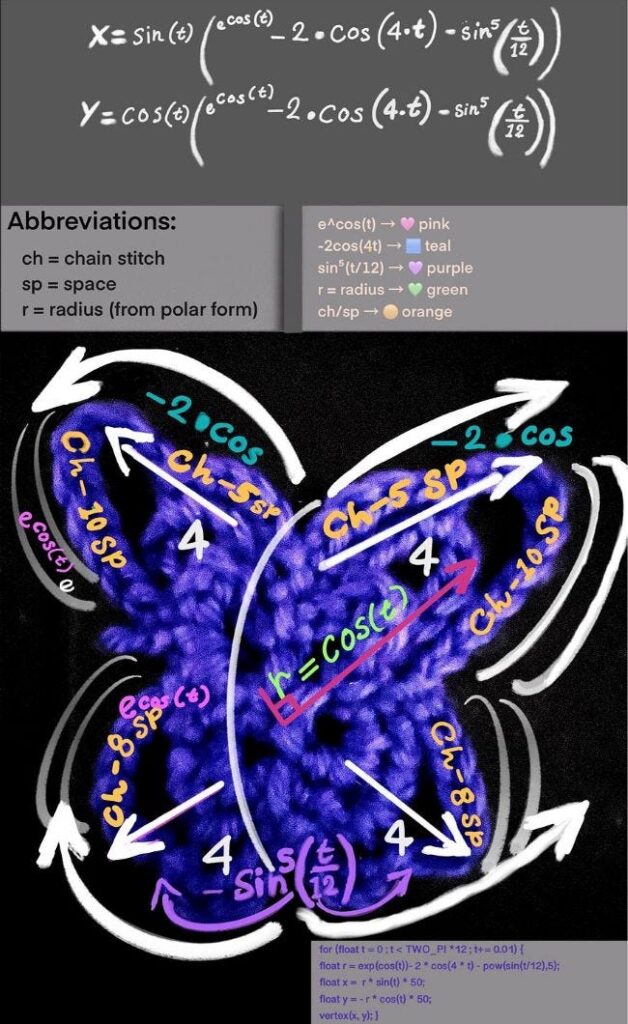
The term e^cos(t) forms the central part of the butterfly anatomy. In crochet terms, it’s like creating a longer foundation chain that spans from the head down to the bottom to shape the body.
Figure 2. A hand-drawn diagram showing how the butterfly curve equation and computer code coincides with the different parts of a crocheted applique.’
The letter e, also called Euler’s number, stands for the base of the natural logarithm. It essentially represents either growth or decay. For the butterfly curve specifically, it shows growth, acting like a volumizer of scale and adding fullness to the wings as t changes.
2. The butterfly’s amplitude and symmetry
The term –2·cos(4t) amplifies the radius and shapes the butterfly’s wingspan. It acts like a stitch multiplier, controlling how far the shape stretches from the center. The 4t factor causes the function to repeat four times over a full rotation, producing a balanced, four-lobed symmetry. The factor of 4 in cos(4t) oscillates four times over a full rotation of a circle (0 to 2π), which directly contributes to the four-lobed symmetry of the butterfly.
In crochet, this mirrors how gauge and stitch pattern define the size and structure of a motif — where repeated stitch groups shape volume and a mirrored symmetry.
3. Detailing
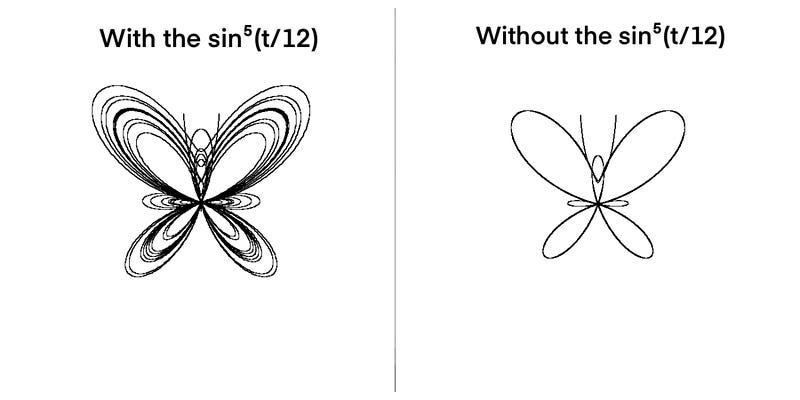
The term sin⁵(t/12) is the part of the equation responsible for giving our digital butterfly its detailed properties. Without this term, the butterfly would appear as a basic butterfly outline.
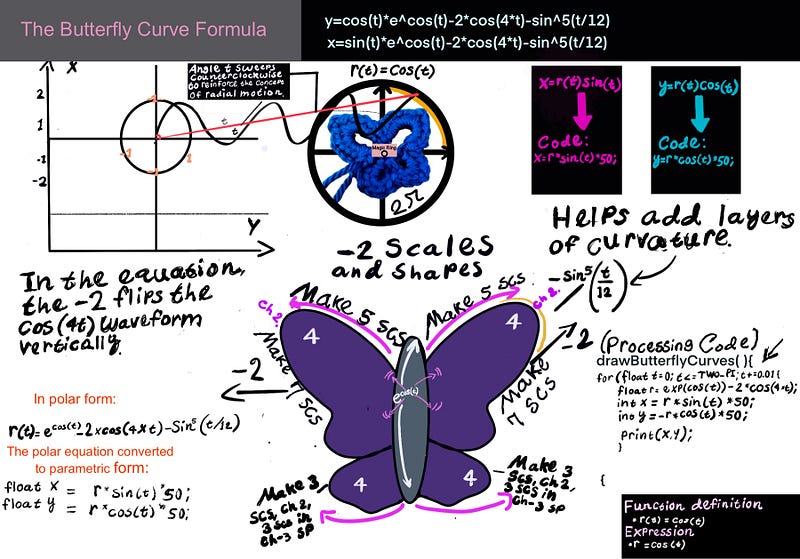
Figure 4. Diagram showing the parametric Butterfly Curve in Processing & crochet
This part makes the butterfly wings appear fine, with the ‘ripples’ resembling ridges along the edge of each wing. This part is comparable to the detailed work created within crochet projects, such as picots, frills, or edging.
The Role of Sine and Cosine in Wing Formation
The sine (sin) and cosine (cos) functions determine the respective y and x coordinates in a way that reflects their oscillatory behavior on a Cartesian plane. This means that these functions repeat in smooth waves, like the rise and fall of a swing or ocean waves. That repeating pattern helps draw the curved and symmetrical shape of the butterfly, as the input angle (in radians) varies.
Moreover, we look a bit further into how the mathematical equation behaves within a programming environment.
Visualizing with code: Math from the angle of programming
Now that we’ve studied how mathematics shapes the butterfly curve, let’s examine how this comes to life in the Processingprogramming environment under the Java language. Code translates the math into motion, plotting each point as the equation unfolds over time.
The for loop sets the variable t to an incremental value of 0.01, allowing the loop to step through the equation.
Defining vs. Drawing: Polar Equations and Parametric Plots
The butterfly curve is calculated in polar form — meaning the equation tells us how far from the center to go at each angle. However, to actually draw or render the butterfly, we need to convert the polar data into x and y coordinates, which is known as the parametric form. These coordinates let us plot each point of the curve in 2D space — whether on a screen, a graph, or a crochet project.
x = r * sin(t) * 50;
y = -r * cos(t) * 50;
Note: In Processing, the coordinate system is flipped vertically compared to the standard mathematical graphs — the y-axis increases downward from the top of the screen. As Daniel Shiffman explains in Learning Processing, this setup reflects how computer screens draw pixels from top to bottom. To account for this, we use -r·cos(t) for the vertical (Y) position instead of r·cos(t).
The t+=0.01 in the for loop increments the angle slightly on each loop iteration, as it gradually moves through 12 complete cycles (or revolutions) around the unit circle. For t < TWO_PI * 10, the loop runs while t is less than 10 complete cycles of 2π (the usual range for periodic functions).
for(float t=0; t <TWO_PI * 12; t+=0.01){
//Here, variables are initialized to work with the t incrementor.
}
Each cycle of 2π radians is one revolution around the unit circle, meaning the loop traces 12 revolutions (12 times around the circle). This step ensures smooth curves happen by creating many small steps. You may think of it like a spirographtracing loops: the more revolutions, the more detailed the final shape.
In our program, two main functions represent the shape. The functions drawButterflyCurves() and drawAntennae() perform the task of drawing a butterfly shape. These functions execute in the main function void setup().
The code that renders the butterfly in Java Processing:
float x, y;
float scale = 100;
//Left butterfly Wing
//Right butterfly wing
void setup(){
background(255); //Sets the background color of the canvas to white
size(650,650); //Sets the width and height of the canvas
}
void draw(){
//Moves the origin (0,0) to the center of the canvas. This is important because the rose is drawn using polar coordinates, which are centered around the origin.
translate(width / 2, height / 2);
//drawButterflyBody();
drawAntennae();
drawButterflyCurves();
//ellipse(0,0,0);
}
void drawAntennae(){
stroke(0);
noFill();
bezier(-1, -40, -15, -60, -25, -80, -30, -150);
bezier(1, -40, 15, -60, 25, -80, 30, -150);
}
void drawButterflyCurves(){
stroke(0);
noFill();
beginShape();
for(float t = 0; t <TWO_PI * 12; t+=0.01){
float r = exp(cos(t)) - 2* cos(4 * t)-pow(sin(t/12),5);
x = r * sin(t) * scale;
y = -r * cos(t) * scale;
vertex(x,y);
}
endShape();
}
We use beginShape() to start defining a custom shape by plotting points. This function is always paired with endShape(), and together, they wrap around the code that calculates and places each point. Inside the loop, we use vertex(x, y) to add points based on the equation, and Processing connects them in order to draw the final shape.
Again, as described a bit earlier, the statements in the program x = r * sin(t) * 50 and y = -r * cos(t) * 50 reference the Cartesian coordinates. The negative sign in y = -r * cos(t) * 50 flips the vertical orientation of the curve.
In Processing, the y-axis grows downward, unlike standard math graphs. The minus sign flips the butterfly right-side-up, preserving its symmetry. Without this, the butterfly would appear upside down. If we hadn’t flipped the orientation, the butterfly would appear upside down. This is because the y-axis increases downward in Processing, unlike the upward-increasing y-axis in traditional Cartesian graphs.
Once again, the term exp(cos(t)) in the context of Processing causes the butterfly to scale dynamically, as if it’s breathing in and out—inflating and contracting along the curve. Much like how a crochet artist builds rows that expand or taper, this exponential term uses the wave-like motion of cos(t) to stretch the shape outward in some places and draw it inward in others, creating the illusion of a living, expansive form.
Similarly, pow(sin(t/12),5))—equivalent to (sin⁵(t/12))—raises a stretched sine wave to the fifth power, smoothing valleys and sharpening peaks. This adds refined ripple-like textures to the wings. Much like decorative stitch work in crochet.
In terms of the Bezier curve function values that set up the antennae, I suggest playing around with the values to determine what works and what doesn’t. Much of the process involves trial and error, and it’s a great way to practice!”
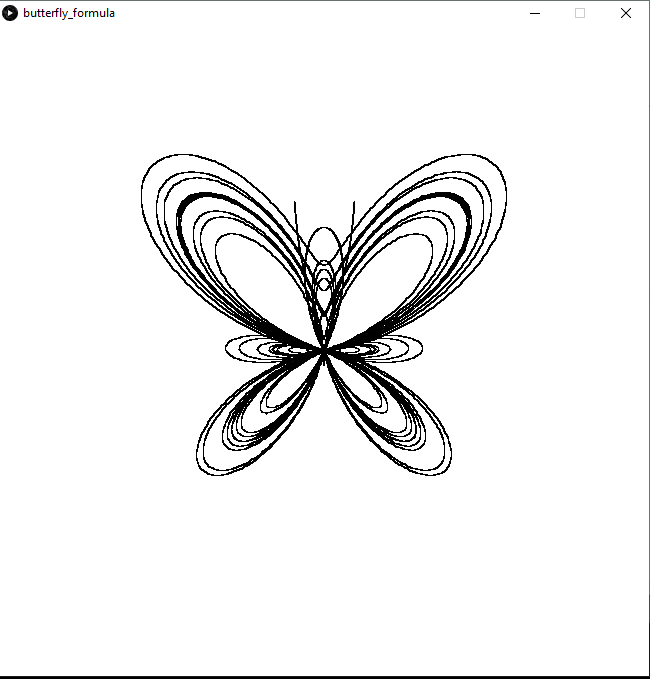
Program Output
Figure 5. Program output from the code.
Try experimenting with the equation to see how each part shapes the curve. For example, I altered the equation slightly each time I ran the program to see what parts of it affected how the butterfly appeared.
Here, I omitted the portion of the equation responsible for detailing (sin^5 (t/12)
Figure 5. Program output showing how omitting a portion of the formula impacts the appearance.
Translating Math Into Crochet
Finally, let’s take what we explored through programming a step further. Here, we duplicate the results. Only this time, those results are put into physical form as crocheted items.
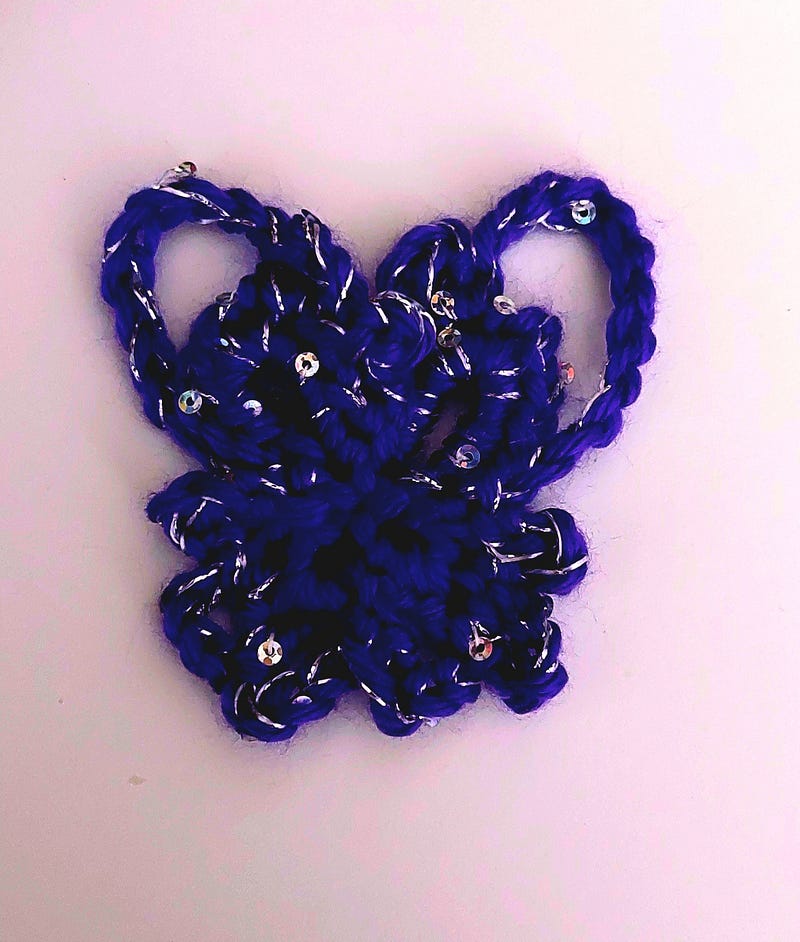
Figure 6. Showing a more open outer wing design.
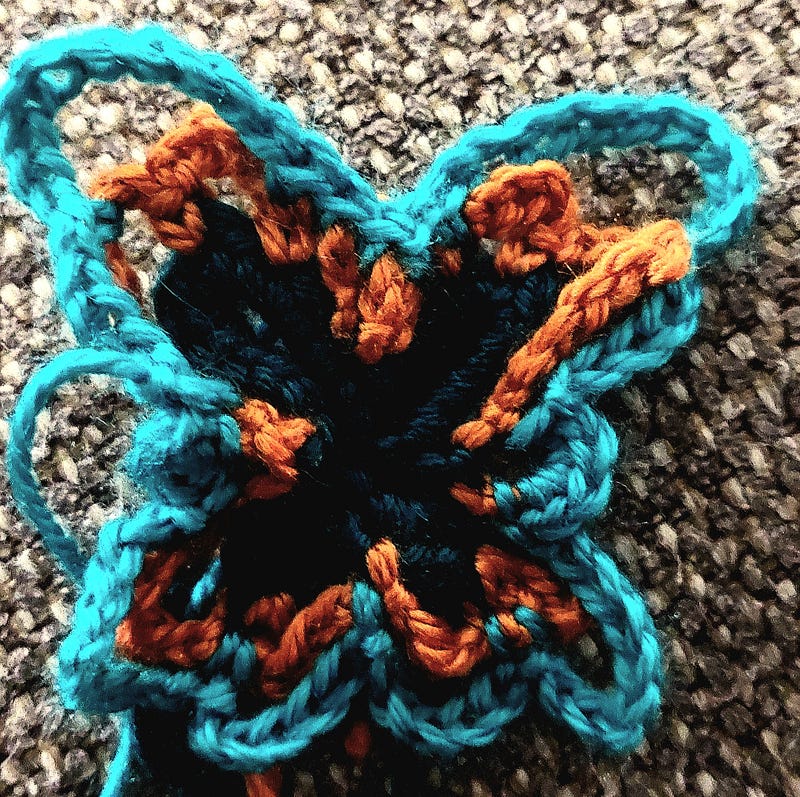
In this way, each chain and slip stitch worked from the center helps form the butterfly’s body, mirroring the central part of the mathematical curve. The larger loops extending outward represent the prominent upper wings, while the smaller loops below correspond to the shorter, lower wings.
Crocheting the butterfly appliqué
This butterfly pattern starts with a magic ring (or a chain-space, alternatively) and builds out using just chain stitches. That’s pretty much all that’s needed to create the foundational outline of the butterfly. From there, it’s all about stitch choice, shape preferences, placement, and repetition to bring the wings to life.
Figure 7. An assortment of different butterflies showing a design that builds upon the foundational row of establishing a butterfly shape.
I use crochet abbreviations like ‘ch’ (chain) and ‘st’ (stitch) throughout this example. But if you’re new to crochet or not yet familiar with these terms, you can find a complete list of abbreviations and their meanings, Crafty Yarn Council gives a more detailed list [here].
Crochet Steps Summary:
Like the butterfly in the equation or the programming environment, the crocheted butterfly follows the same fundamental logic: repetitive instructions done in a specific order to produce a recognizable shape. In this case, our chain stitches and structured loops work as replacements for variables and other types of control flow in the program. Yet, the essence is the same.
1. Initialize the center:
Using your crochet hook and yarn of choice, start with a magic ring or a loop to define the butterfly’s core. This creates the central point from which all symmetry extends.
Start Center: Magic ring or ch 3, join w/ sl st.
2. Create foundational loops:
We can create as many chains as needed for the bottom wings. Use these chain stitches to outline the axes of the wings. You may even think of these loops as scaffolding in the program or as the axis for the diagram.
Lower Wings: [Ch 3, sl st into ring] × 2.
Upper Wings: [6 sc into ch-7 sp, ch 2, 5 sc] × 2.
3. Build symmetry through repetition:
As we work our way from the center (magic ring), we fill in the wing outlines (chain spaces) by repeating any sequence of stitches with chains, single/double crochets to form the wings.
Figure. 8. A different butterfly variation showcasing the four-quadrant layout in the physical world.
Lower Wings: [3 sc into the ch-3 sp, ch 2, 3 sc] × 2.
Upper Wings: [6 sc into ch-7 sp, ch 2, 5 sc] × 2.
4. Anchor at defined points:
The slip stitches or joins from previous steps create new points upon which we can anchor new stitches. They return the sequence to the center or pivot points , creating closure and reinforcing the shape.
Anchor: Sl st between spaces that form the wings.
5. Add optional decorative elements:
On the third row, add more stitches and chain spaces to build upon the foundational butterfly shape. Use picots, puff stitches, frills, or shells to enhance each wing quadrant.
Secure and fasten off, optionally adding antennae or border details. The resulting form resembles a natural butterfly and a plotted figure — symmetrical, modular, and shapes the typical outline.
Finish: Fasten off, weave in the ends, and add antennae, if desired.
Closing the Butterfly Equation
We explored how a single shape, the butterfly in this case, can transform across different contexts. Whether it is found in nature, drawn through mathematical equations, rendered in code, drawn on paper, or handmade with yarn, all versions are connected by the same underlying math.
A Butterfly Garland
When we look closer at the mathematical concepts playing out before us in the world and how shapes are formed, everything falls into perspective.
Let’s keep exploring together!
If you enjoyed learning about the connection between mathematics, butterflies, crochet, and code, don’t forget to follow me for more creative explorations.
❤️ Enjoyed this post? 🧶 Share with a fellow maker ✨ Follow for more math-meets-craft stories 💬 I would love to hear your perspective on this topic. Tag me or comment below
You might wonder: “What do computer programming and fiber arts have in common?”
Surprisingly, quite a lot. Even though they are traditionally viewed as worlds apart, fiber arts and technical fields share striking similarities. In this article, I explore how they align, and how these overlapping skills sit at the heart of an emerging educational and creative movement known as STEAM.
Here are 8 ways these concepts merge:
1.STEAM
I recently came across a movement that brings these two topics together: STEAM. Which is all about encouraging interdisciplinary learning by mixing analytical skills with creative expression, and programming fits under that umbrella.
In a similar way, mathematics and fiber arts have been connected by Mercer University’s ownDr. Carolyn Yackel. Carolyn, who coined the term “mathematical fiber arts”, has created intricate pieces like Temari balls. Her work shows how mathematical ideas can turn into something tangible and artistic. It’s a perfect example of how math fits within the STEAM framework, especially when it connects abstract concepts to traditional crafts.
Dr. Yackel mainly focuses on the mathematical structures found in fiber arts. Building on that foundation, I’m exploring how math, coding, and fiber arts come together in STEAM, particularly with a focus on crochet.
Several insightful blogs have already explored the connections between math, programming, and crochet, shedding light on ways these fields overlap. Many authors and bloggers have explored the connections between crochet, computer science, and math. One notable example isKimberly McCarthy, who examines the links between mathematics and crochet through concepts like polar coordinates. Also, Mercedes Bernard delved into these topics in 2018–2019 in a blog post. These contributions are part of a broader conversation that highlights the alignment of these fields.
However, despite this valuable groundwork, the topic remains relatively niche, emphasizing the interdisciplinary spirit of the STEAM movement.
2. Problem-solving : the foundation of patterns
Programming is about giving step-by-step instructions to a computer to achieve a specific outcome.
Photo by Nykeya Paige on Unsplash
Computer programming assesses gaps in markets to bring about better solutions and problem-solving. Both programming and crochet offer solutions to problems — only expressed in different formats: digital vs. material.
Effective problem-solving often starts by asking the right questions. That way, helpful answers will arise. Projects existing under either category require asking such questions as:
What problem needs solving?
What is the objective?
What are all the necessary components that will get me the answers I need for the final result (the objective)?
Consider a pentagon: should it form a star or a five-petal flower? What distinguishes these shapes? What sets them apart in terms of shape or form?
How can we approach the problem in a way that would render this flower or this star?
Photo by Cherish
The answer emerges through algorithmic thinking.
Both programming and crochet revolve around designing step-by-step instructions to solve a problem — whether to display data on a screen or create a lace shawl. Both prioritize algorithmic stepping, but the only difference is that programming algorithms are more abstract, often yielding digital results. Meanwhile, crochet algorithms lead to concrete results in the form of finished accessories or garments.
Fundamentally speaking, they‘re very similar. Although technical, programming requires the programmer to design code, whether for the functionality or appearance of an app. Any programming language can draw an object if it includes a mathematical library and graphical interface.
3. Precision and attention to detail
A crochet project often requires the maker to follow detailed instructions to make something, as a programmer does with code. Crochet patterns share similarities to programming syntax because both develop on logic and semantics.
Design
Design requires much analysis, trial, and error, and practice to get the intended effect of what a project requires. Crochet work can be very fickle about gauge. Minor inconsistencies in tension or stitch size can easily distort the final result. Sometimes, anything can throw off the final results from what was previously expected or intended.
The same is true in programming! Just one misplaced character or a minor semantic error can cause a program to behave unexpectedly or altogether fail. It’s about knowing what parts are involved, how they interact, and how to navigate those different parts separately and as a whole.
4. Creativity
Despite this need for precision, both crochet and programming leave space for creativity.
Although computer programming is far more technical than any fiber art effort, designing code is still quite creative. Many computer applications are products of ideas that stem from a creative thought process. This concept serves as the foundation for many programming ideas coming to fruition.
5. Mathematics
Computer programming and crochet each rely on mathematics in different ways. Programming relies on mathematics for logical problem-solving, algorithms, and data structure. Crochet uses mathematical concepts like symmetry, geometry, and counting to create and shape patterns, ensuring precision and consistency in the final piece.
How about rendering a rose shape?
Roses and other floral shapes often exhibit symmetrical properties, particularly radial symmetry. Yolanda Savirama published a paper in 2011 discussing these properties. According to their findings, flowers and roses often exhibit symmetry, especially radial symmetry, where parts collect around a central axis.
Photo by Author
For a rose shape, what happens in one quadrant mirrors another. The symmetry of a rose represents the trigonometric polar functions, which show how patterns repeat across all four zones. Because this shape is mathematically complex, consulting mathematical tools is one of the most effective ways to model it.
This is where the rose curve formula, r = a·cos(kθ), comes into play. I discuss this in more detail here.
6. Debugging and tech editing
While many have compared the logic of crochet patterns to programming syntax, the connection between tech editing and debugging is less frequently explored, but the similarities stand out.
Tech editing
That system is known as tech editing, a practice in the yarn world where patterns are reviewed line by line to ensure clarity and accuracy. The design phase of a crochet or knitting project is often the most critical since it lays the foundation for how the final piece turns out.
Stepping (debugging)
Tech editing examines every move made to ensure no errors affect future attempts to replicate the pattern. Similarly, a programmer employs a technique known as stepping. This debugging process has the programmer systematically go through the code line by line. In turn, the coder effectively assumes the role of a computer (or interpreter) to understand how each part executes. Programmers undergo this method to check where a code is hanging, throwing an exception, or may not be running at all.
As a crocheter, I noticed this firsthand while designing a pattern. Earlier in this post, under Design, I mentioned issues with gauges while crocheting. Developing an original pattern can be immensely rewarding, but it can also be a fickle process that may result in a misplacement of stitches. Sometimes, a project requires that a gauge be followed closely. While other times, a project may not rely on a gauge to still work well.
7. Repetition… repetition… repetition
Also, crochet and knitting require a fair amount of counting, repetition, and looping. Only now is the actual looping mechanism carried out manually, without any shortcuts that a program usually has! Whenever the term repeat appears in a crochet pattern, that indicates repeating a step as many times as the pattern specifies.
Showing the repetitive rhythm of a pattern.
In both crochet and programming, repetition continues until a specific condition or pattern requirement gets met.
Program Looping
Writing programs often requires a fair amount of repetition. This repetition is accomplished by creating program loops. Loops help to draw out or expand upon baseline problems, repeat patterns, and render complex visual patterns for graphics. They streamline the process of repetition by avoiding having to manually re-declare statements or variables.
Photo by author
Every project that involves coding a framework for a game, desktop application, or mobile app follows a unique set of repetitive steps that shape these applications into what they will become.
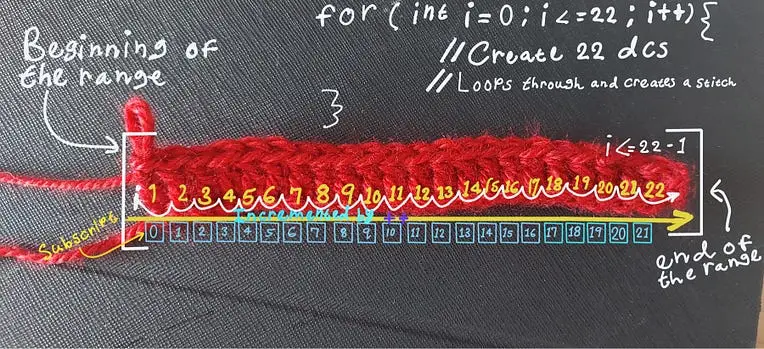
Here’s an example in Java that mimics the act of chaining stitches to make 22 double crochets(dcs).
int steps = 22;
System.out.println("Crochet Chain Instructions:n");
System.out.println("1. Start with a slip knot on your hook.");
for (int i = 1; i <= steps; i++) {
System.out.println((i + 1) + ". Yarn over and pull through the loop on the hook. (Chain " + i + ")");
}
System.out.println("nYou have completed " + steps + " chains!");
Repetition is what drives the sequential steps that bring a pattern to life. In crochet, this means building on a foundational row with repeating sequences that grow into the full length of the project.
8. Community & collaboration
Much like any professional career or hobby, these endeavors often lead to community gatherings centered around a specific interest. There’s a strong sense of community that abounds whenever there is a shared interest or work circulates. Just as someone might start a club for any other interests, such as a book club, a knitting circle, or a stamp collecting group, there’s always that dimension of sociability there.
People who are members of crochet communities and other clubs gather together for the purpose of exchanging ideas in the same way developers share ideas or insights through their communities. Comparatively, the collaborative nature of programming, where developers share code, contribute to open-source projects, and seek advice from peers is a prominent feature of these interests.
Weaving in the ends
Now that we are fastening off, “weaving in those loose ends,” so to speak, it’s the perfect time to zoom out and realize the bigger picture here. Initially, it may seem crochet and computer science are unrelated fields, but a closer look reveals how much they have in common. Anyone who is analytical, detail-oriented, or has strong problem-solving abilities may thrive at this intersection.
When we recognize the common threads between programming and something as crafty as crochet, we understand how interconnected our skills are now. And the presence of STEAM further validates this idea. The next time you pick up a crochet hook or open a code editor, remember: both are acts of creativity. Both are changing the world.
Follow for more insights happening at the crossroads of code and creativity, or leave a comment. I would love to hear your thoughts on this topic. : )
Using Crochet to Visually Explain the Rose Curve and Polar Coordinates
Have you ever wondered what gives roses their compositional spiral-like patterns? For anyone who has pondered that, this article is for you! We set out to bridge the gap between mathematics and yarn crafts.
Now, I definitely get it — Math can be challenging. There have been occasions where I’ve certainly needed time to wrap my head around what happens in different formulas or equations. But through some exploration, I’ve noticed there’s a connection between real-world items and their mathematical counterparts. By tapping into that connection, we can deepen our understanding of how this math works. This article explores how the rose formulas, r = a • cos(kθ) and r = a • sin(kθ), relate to programming and crochet practices. What follows is my own interpretation of these concepts.
An in-depth exploration of the rose formula
The topic of discussion for this post centers around the formula r=a⋅cos(kθ). This formula is where trigonometry, geometry, and calculus meet, turning math into visual art. This visual art in turn reflects what happens in the rose applique crochet project.
Photo by author
The shape of roses is the work of mathematical systems called the polar equations and, as Yoland Savriama et al explains, radial symmetry. There are some commonalities. In 1987, Peter R. Maurer helped popularize the rose curve through a paper, A Rose is a Rose, published in The College Mathematics Journal. His article shows how rose curves can be constructed and explored mathematically, making these concepts more accessible and visually engaging.
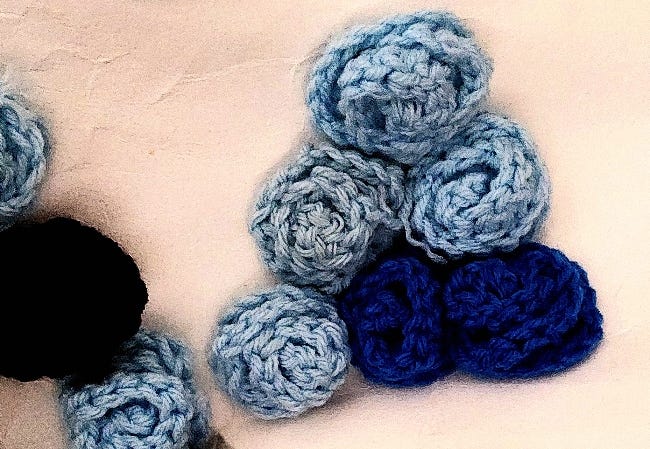
Comparing these concepts highlights their parallels to each other. Just like a crocheted flower begins with a magic ring at the center, the coded rose begins at the origin, which is the heart of the coordinate plane. With each loop that’s made in crochet, you build petals outward into spirals. Similarly, the loop in code uses angles and radii to plot points, spiraling out from the center mathematically. Both start at a central anchor and blossom from there — one with yarn, the other with math.
It’s like mapping each stitch in a spiral based on the distance from the center (r) and then deciding its placement left/right and up/down using cosine and sine. You’re “stitching” each point mathematically!
Visualizing the geometry of a rose
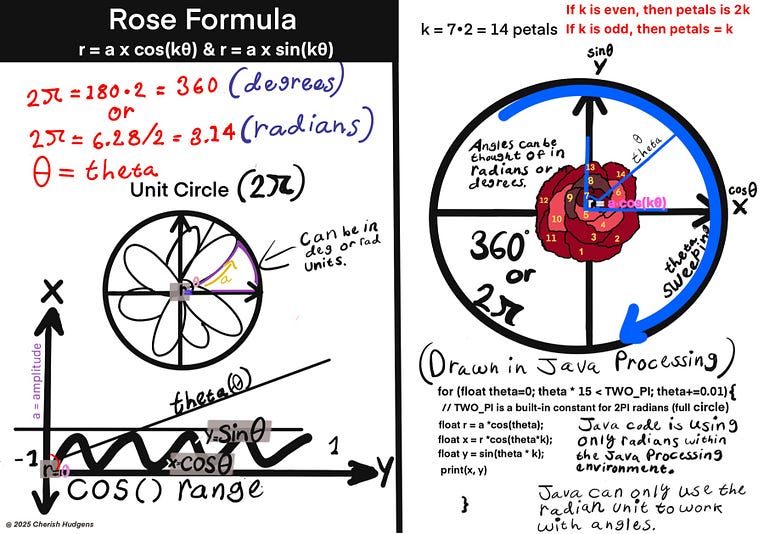
You might notice my rose drawing has 14 petals, even though I used k = 7, which should generate just 7 petals for an odd number. That’s because I continued plotting the curve across two full rotations, from 0 to 4π radians.
The rose curve doesn’t stop after one cycle. It loops back around and retraces the pattern. In this case, those repeated sweeps produced a second set of the same 7 petals (7 x 2), giving the appearance of 14 in total. It’s a great example of how mathematics builds layered beauty through repeated motion.
Watch: Creating the rose curve infographic using Procreate!
Now onto the different variables that make up the formula!
Step 1: Deciding what all is needed — unpacking the basic formula
First, we figure out our point of origin (starting point). When cos(kθ) = 0, you’re starting at the center of it all, and this is where every petal begins. Anything at r=0 is the starting point and hasn’t yet progressed outward. You may think of it as the core or nucleus of the rose. In crochet, the physical version of this would be a magic ring, chain space, or the point where all petals are gathered and spiraling outward.
From there, we want to measure the distance from the center, which is what r(θ) = a × cos(kθ) measures.
Now, we can look into what variable a represents here. It acts as a scaling factor that adjusts the overall size of the petals when it’s multiplied by the cos() function. It determines the maximum distance (amplitude) the petals reach from the center.
Next, we want to determine the number of petals the rose will have. The number of petals is controlled by the variable k, which can be either even or odd. If k is an odd number, like k = 3, you’ll get exactly 3 petals. However, when k is even, the number of petals is doubled. So, if k = 2, that value would become 2 x 2 = 4.
We also want to track the progression of the sinusoidal curve and how it will open up through the value of theta or θ. Theta is an angle.
Mapping out the terrain for Cos() & Sin(). Now, we want to generate the petalsfrom the shape of the waves formed on the Cartesian plane. So, we create curves using sin() and cos(). Think of the range from -1 to 1 as the amount of landscape (or terrain) available to the cos and sin functions on the Cartesian grid over which the two functions have full reign. This environment is the entire stretch of terrain they operate within — no peaks higher than 1, no valleys lower than -1. This limited but smooth terrain gives the rose its natural, wave-like rhythm as we sweep through each angle around the unit circle.
Step 2: Setting up some variables
Any programming language can work for this, but I chose Java, which uses the Processing framework. This language is a visual-friendly tool perfect for bringing math to life through visual code.
float k = 2.6; // Controls petal count: odd k = k petals, even k = 2k petals
float a = 190; // Controls size of the rose
float theta = 1.5; // Angle in radians (swept by the loop)
float r = 70; // Radius, recalculated in the loop
Step 3: Coding the formula — pulling it all together
Next, we map out the steps in the formula using computer code. We’re looking to determine how all the expressions within the formula work together to render the rose we want.
The petal shapes in a rose curve are sculpted by trigonometric waves that originate from the unit circle. Though the petals themselves extend beyond or within the circle’s boundary, the rhythm and symmetry of their formation are deeply rooted in the same geometry, where cosine and sine define movement around a perfect circle.
Step 4: Setting up the for loop
You may ask, “What role does the for loop play here?”. Believe it or not, the for loop (or any loop, really)acts as a set of hands used to help shape, mold, and draw out all parts of the formula. It’s one component in the programming world that brings a dynamic quality to whatever it touches. This loop, in particular, helps our rose blossom by incorporating all the components of the equation to their highest visual potential. Simply put, the loop gives the equation dynamic behavior.
The loop employs the value of theta to sweep through angles from 0 to 2π. If we think of r(θ) = a × cos(kθ) as our starting point, theta or θ helps the radius progress forward by tracing a path around the unit circle, one step at a time. Theta is driving the motion. Theta is an angle that helps the radius point to and travel in a specific direction.
for(int theta =0; theta < TWO_PI*5; theta+=0.01){
r = a*cos(theta); //r = a × cos(kθ).. tells you how far to reach out at each point.
float x = r*cos(k * theta);
float y = r*sin(theta);
vertex(x,y);
}
On the other hand, a bigger step size ( like theta += 0.1) is much like using a looser hand tension, or fewer stitches. You can fill the circle quickly, but the result is not as detailed. So in both crochet and code, that fine control gives you elegance in the spiral.
Think of theta += 0.01 as the kind of hand tension or motion you use to guide the crochet hook when crocheting or the steady stroke path you follow to create outlines while drawing. When your tension is tight and consistent, your stitches are smaller and closer together, resulting in a smoother, more uniform spiral. The value 0.01 places more points around the curve, just like adding more stitches in a round or row. Also, the 0.01 doesn’t scale the size of the loop or the rose directly. Instead, it controls how finely we step through angles (theta) between 0 and 2π.
Step 5: Setting up the Cartesian polar coordinates, coding the formula
Moreover, we also have to set up a few values corresponding to the portion of the Cartesian grid where our unit circle will sit. This is done by establishing x and y values, which represent the vertical (x) and horizontal (y) axes. These axes give us the space to plot coordinates and draw the rose curve.
float x = r*cos(k * theta);
float y = r*sin(k * theta);
Then, we start coding the rest of the formula within the Processing programming environment. After assigning the initial values of x and y for our polar coordinates, we declare more variables, each one referencing how the formula is structured.
Coding the Rose in Java with Processing
// Rose formula: r = a cos(nθ) and r = a sin(nθ)
float k = 2.6; // Controls petal count: odd k = k petals, even k = 2k petals float a = 190; // Controls size of the rose float theta = 1.5; // Angle in radians (swept by the loop) float r = 70; // Radius, recalculated in the loop
void setup() { size(500, 500); // Set window size background(255); // White background translate(width / 2, height / 2); // Move origin to center noFill(); // No interior fill for the rose stroke(0); // Set stroke color (black) strokeWeight(1.5); // Optional: adjust line thickness
beginShape(); for (theta = 0; theta < TWO_PI * 15; theta += 0.01) { r = a * cos(theta); // Polar equation: distance from center float x = r * cos(k * theta); // Convert to Cartesian coordinates float y = r * sin(k * theta); vertex(x, y); // Add a point to the shape } endShape(); }
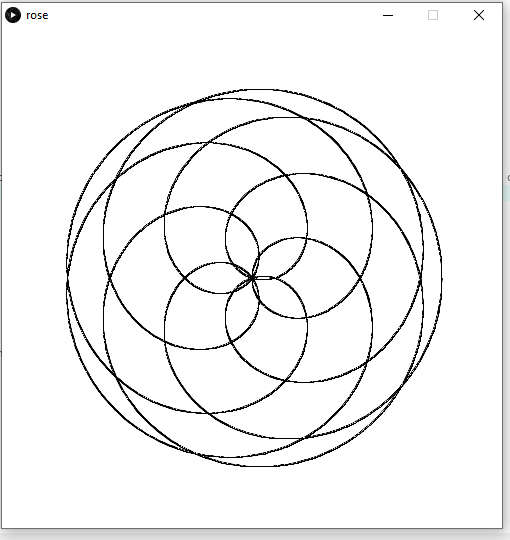
The above code produces the following output:
This output is the closest to what I hoped to achieve in drawing this rose. Remember, though, that these were just the initial steps for getting our rose set up in the programming environment. You probably noticed how the rose appears layered but trapped in a flat, 2D space. If you seek a more advanced tutorial on adding more dimension to your version, I highly recommend exploring the work ofPaul Nylander, who works extensively with mathematical art.I also suggest watching Kazuki Umeda’s series, parts one and two, to create rose shapes with p5.js!
At this point, we have explored how the rose formula builds a spiral visually. While crochet patterns don’t numerically align with this equation, the shape and rhythm of the stitches often mirror the spirals defined by this mathematical function. So, if you’re crocheting for the first time, don’t worry. No math is required to complete most crochet projects! All you’ll need is to count your stitches as you go.
Now, onto the crocheted part
In the programming environment we just explored, theta acts like the guiding motion of a hand moving a crochet hook. Together with the for loop and the fine increment of 0.01, theta gradually carves out the rose shape, just as steady hand movements shape stitches in a pattern.
Reconciling Dynamic Motion (Theta) with Linear Petal Construction
Earlier, I mentioned how a magic ring corresponds to the point where cos(kθ) = 0 within the equation. A magic ring or chain space forming a loop would be ideal for most projects worked in the round. Well, for this project, the true beauty unfolds during the assembly of the rose. We would not use a looped space for this particular rose because it would not produce the same spiraled effect.
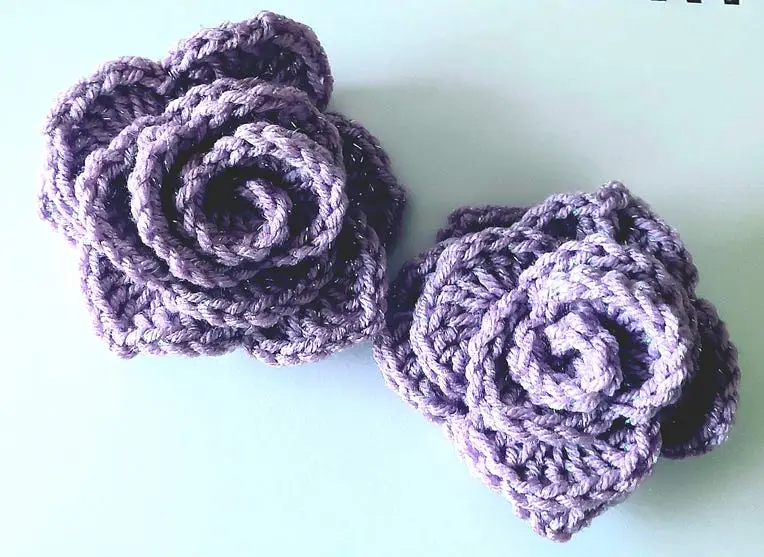
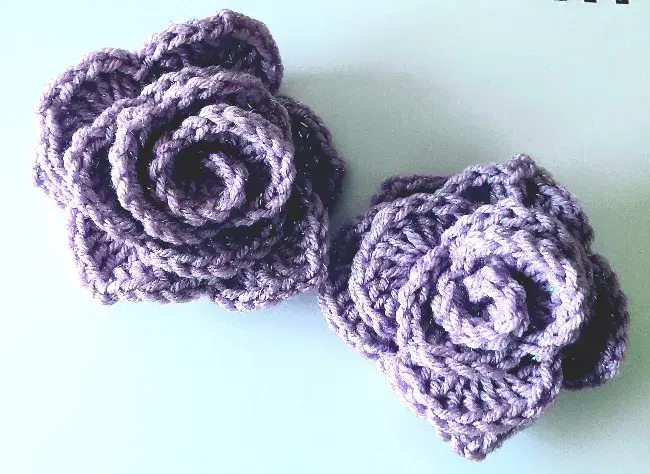
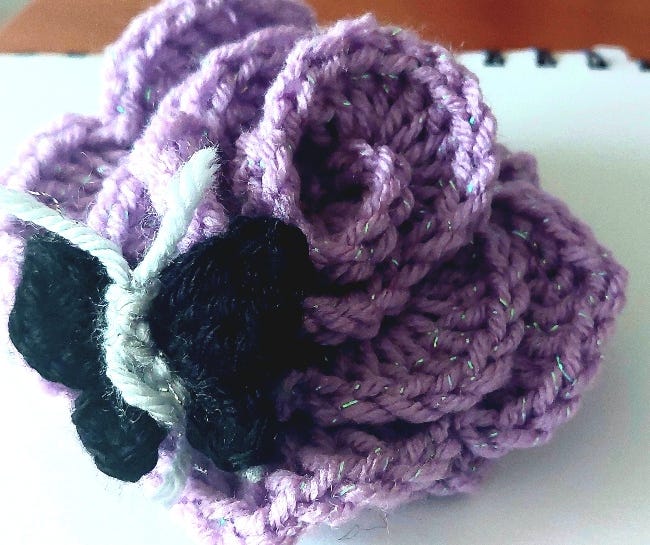
Although the crocheted rose is crafted as a linear row of petals, adding each petal incrementally and then shaping them into a spiral at the end allows the shape to mimic the essence of the polar function. Rather than forming petals radially from the start, this version builds them one after another along a continuous row and only reveals its radial symmetry after the petals get coiled by hand.
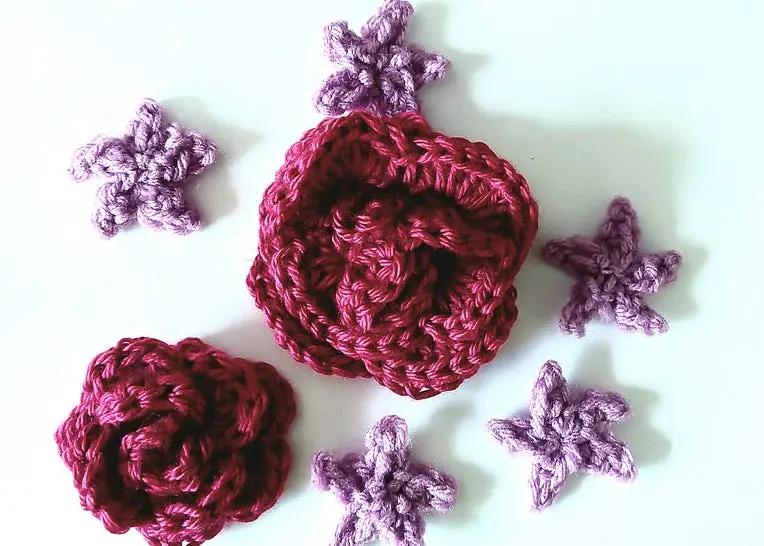
Photo by author
Even though the rose starts as a flat row, this incremental buildup of petals still behaves like a plotted curve. One stitch at a time, one-directional change at a time, until a larger, more cohesive spiral shape forms. When you finally gather the petals into a center, you’ve pulled the row into a spiral, which mirrors how the cosine function compresses or expands radius values across angular intervals.
The center point (magic ring) r = 0 when cos(kθ) = 0.
Stitch repeats/petal count — k determines the number of petals.
Expanding outward in rings or spirals — increasing θ to draw more of the curve.
The petal shape from a series of shell cluster stitches all placed in one stitch — the wave-like form represents the cosine function.
Rose Pattern
Instructions for making the rose.
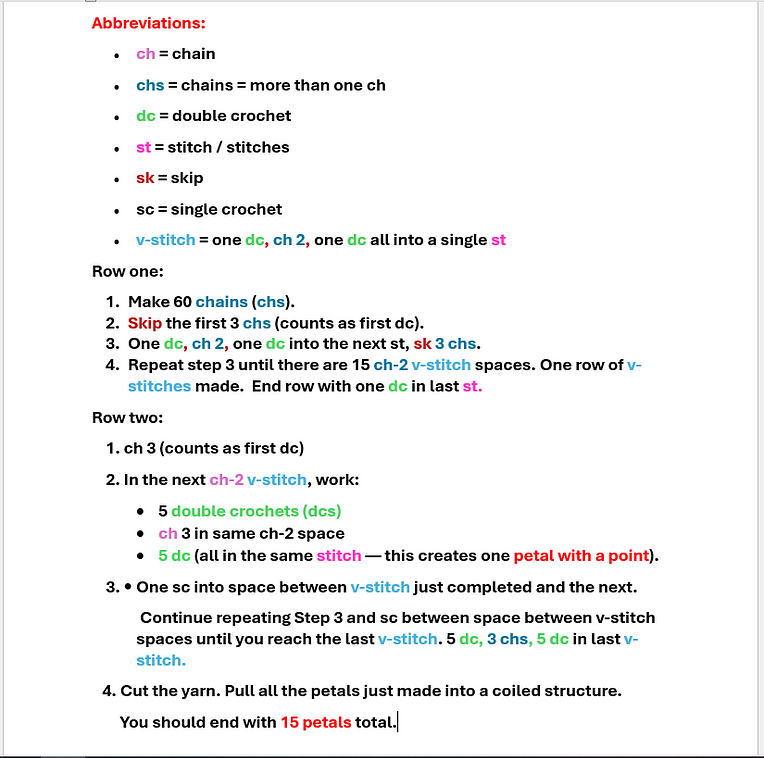
The above picture shows the algorithm (instructions) for crocheting a coiled rose shape. You can do this using any crochet hook size or yarn weight of your choice.
Final Thoughts
All things considered, there’s a clear overlap between the abstract and the tangible. Mathematics, though often challenging, does a beautiful job of revealing how its principles are reflected in the natural world — including the physical shapes we create through fiber arts.
If you’re a crocheter, coder, or math lover, you may want to give the rose curve a try and see what kind of result you can create.
Thank you for reading!
Feel free to leave a comment, share this post, or follow me for more explorations into the natural aspects of math. I’d love to hear what you think about this!
References
Savriama Y, Klingenberg CP. Beyond bilateral symmetry: geometric morphometric methods for any type of symmetry. BMC Evol Biol. 2011 Sep 29;11:280. doi: 10.1186/1471–2148–11–280. PMID: 21958045; PMCID: PMC3209460.
Apart from knitting, crocheting is one of the most popular crafts out there that allows for a broad range of projects to shine. Crochet ideas unearth potential skills, techniques, and maneuvers of varying levels of expertise that often lead to great crocheted pieces.
Crochet work can result in projects that range from decorative to functional through a wide range of dynamic, expressive designs.
In this post, I explore the properties associated with common crochet stitches.
The Foundational Stitches:
Here, we are starting from the bottom and building up a potential project from the ground up.
Photo by Author
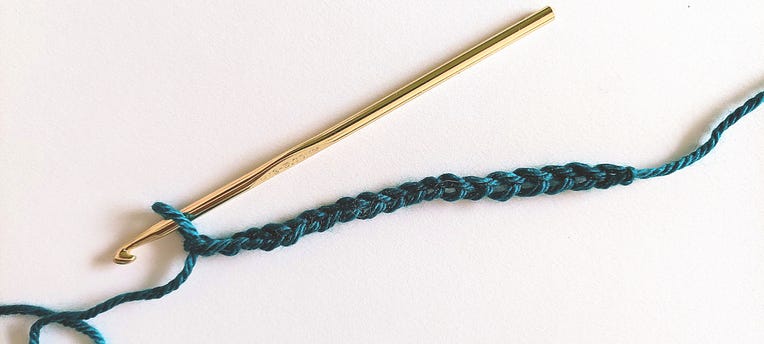
The chain stitch is the starting point for any crochet project to get off the ground. The chain stitch, single crochet stitch, and the half-double crochet stitches are among the most primitive stitch types before the crocheted works blossom into a scarf, a pair of socks, a hat — even a wearable garment, such as a dress, a skirt, or a pair of pants.
By chaining any number of stitches with a hook, one can create the first instance of a crocheted item.
All crochet projects begin with:
Chain Stitch (Ch): This is the starting point for most crochet projects, forming a row of linked loops that serve as the foundation for subsequent stitches.
Single Crochet (sc): This simple stitch creates a tightly woven fabric, perfect for sturdy and structured projects.
Half-Double Crochet (hdc): Slightly taller than the single crochet stitch, this one offers more drape while maintaining density, suitable for a variety of projects.
One stitch pattern alone is enough to create any beautiful crochet project.
For example, a charming hat can emerge using a single crochet, half-double, or any one type of stitch pattern at a time.
While slip stitch is not popular as a stand-alone stitch pattern to carry an entire project, with a great outlook and perfect planning, it still can yield beautiful results.
It is a versatile stitch that can pick up height as it progresses. However, the slip stitch (sl st) is the shortest stitch by far!
2. Building Blocks of Texture:
We are now in the double crochet group. As I call them, they are known as the zenith stitches. These are the stitch types that pick up height very quickly!
Double Crochet (dc): Versatile and commonly used, providing speed and flexibility in creating projects. The double crochet stitch requires one yarn over the hook. (One wrap, two pull-throughs)
Treble Crochet (tr): Treble stitches, taller than double crochet stitches, are perfect for lacy designs and openwork patterns. Treble crochet stitches add enough height for a project to expand quickly, depending on the number of rows required, the size of the crochet hook, and the type of yarn chosen. (Two wraps, three pull-throughs)
Treble crochet stitches can travel from their current position and extend to the next row or stitch. Crochet work that incorporates the treble stitch can easily render a cabling method. What is the cable method? Cabling in crochet work is achieved by using post stitches to crochet treble stitches around previously made treble stitches.
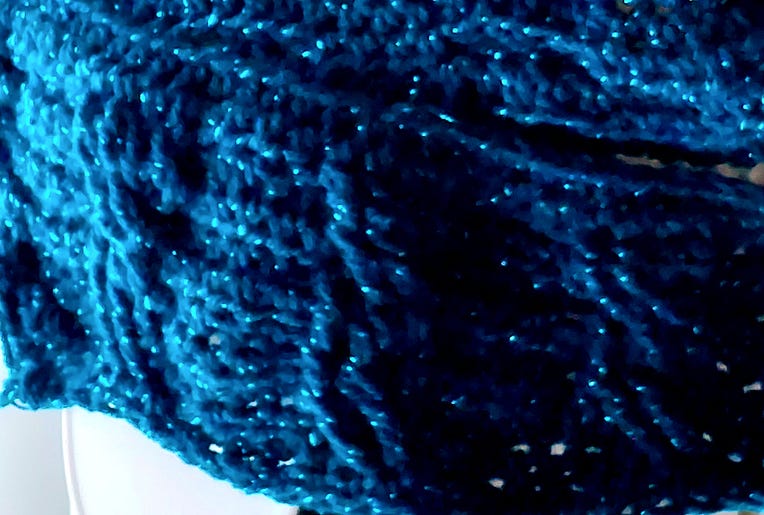
A scarf that has a cabling pattern
Double Treble Crochet (dtr): An elongated stitch ideal for creating intricate lace patterns and adding depth to projects. The double treble stitch is quite identical in structure to the first two double crochet variations in that it also requires several yarn-overs to add height. It is at the third level of the double crochet group and produces some of the tallest stitches possible. Now, for the double treble stitch, it takes not one, not two, but THREE yarn-overs to complete. (Three wraps, four pull-throughs)
3. Decorative and Dimensional Stitches:
Popcorn Stitch: Creating raised, textured bobbles reminiscent of popcorn, adding dimension and visual interest to projects.
Bobble Stitch: Similar to the popcorn stitch but with a rounded shape, perfect for embellishments and surface textures.
Puff Stitch: These types of stitches are repeatedly pulled up on the hook and taken through several loops to create clusters that form a puffy texture. This effect is a great method for creating embroidery, blankets, and accessories.
Spirals These are made by inputting a heavy concentration of stitches into one stitch for one or several stitches in a row. This stitch technique produces a curling effect that resembles a spiral.
4. Advanced Crochet Stitch Types Now these kind of stitches expand on what the earlier (foundational) stitches have already established. A group of stitches working together to form more complex patterns.
Shell Stitch: Shells are created by combining multiple stitches into the same space to form a cluster. Doing so can create a shell-like motif, often used for edging and borders.
Basketweave Stitch: Alternating front and back post stitches to create a woven, textured fabric resembling a basket weave.
Tunisian Crochet: A unique technique that combines elements of crochet and knitting, creating dense, textured fabrics with a distinctive look. Anything can be created using the Tunisian approach.
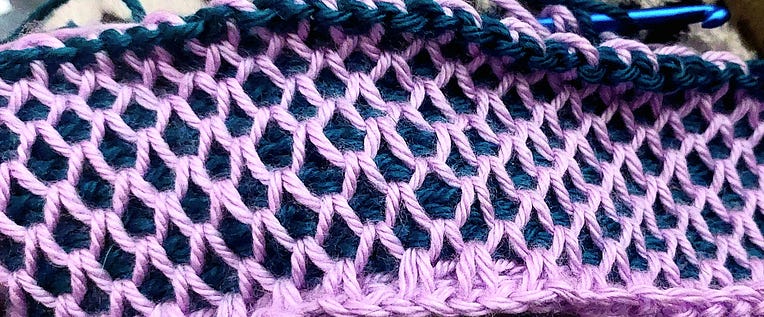
The smock stitch for Tunisian crochet:
Photo by Author
5. Beyond the Basics:
Now, all the stitches are being combined into a group (or clusters) to create more dynamic patterns, and here, we are beginning to expand by including all the stitches we explored earlier.
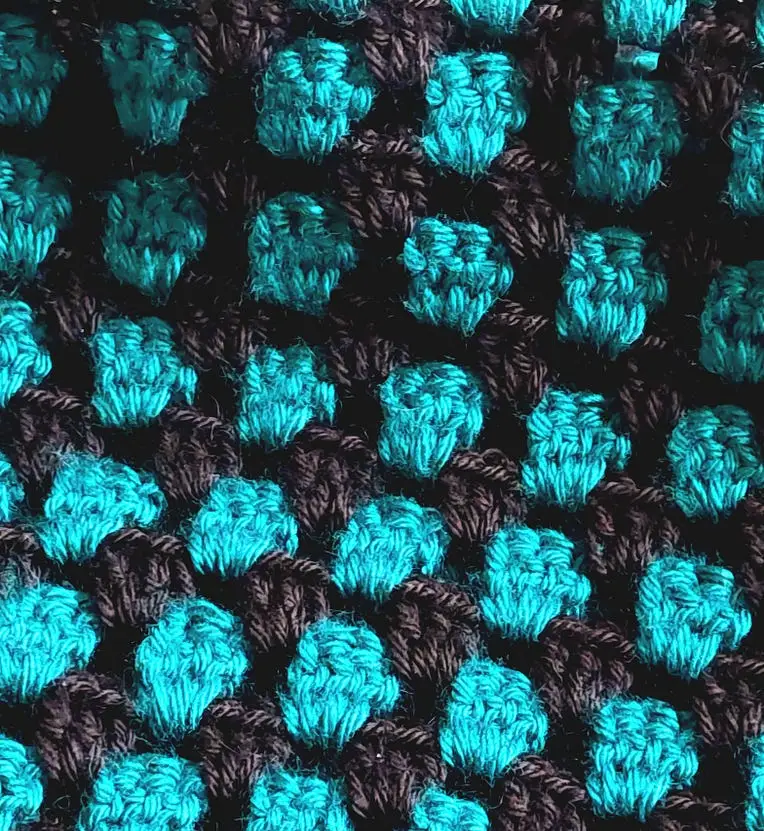
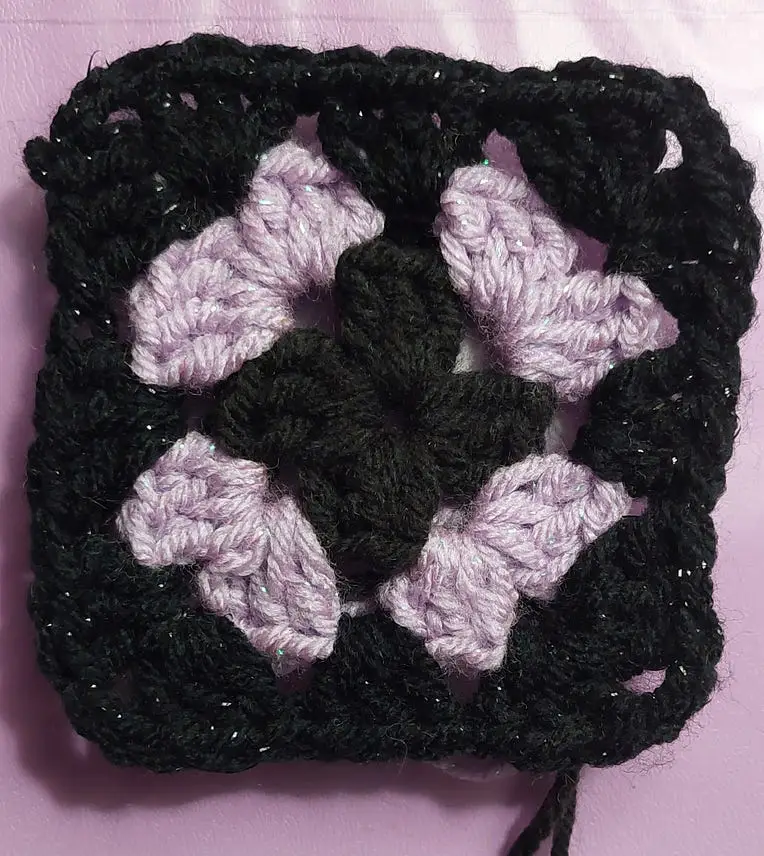
The Granny Square: A classic motif made up of clusters of stitches worked in the round, versatile for creating blankets, garments, hats, and more. The granny square pattern is achieved by crocheting a group of double crochets together.
A 3-tiered, four-sided granny square. Photo by Author
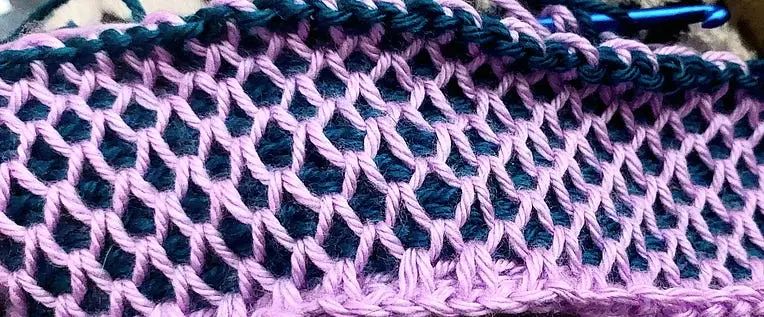
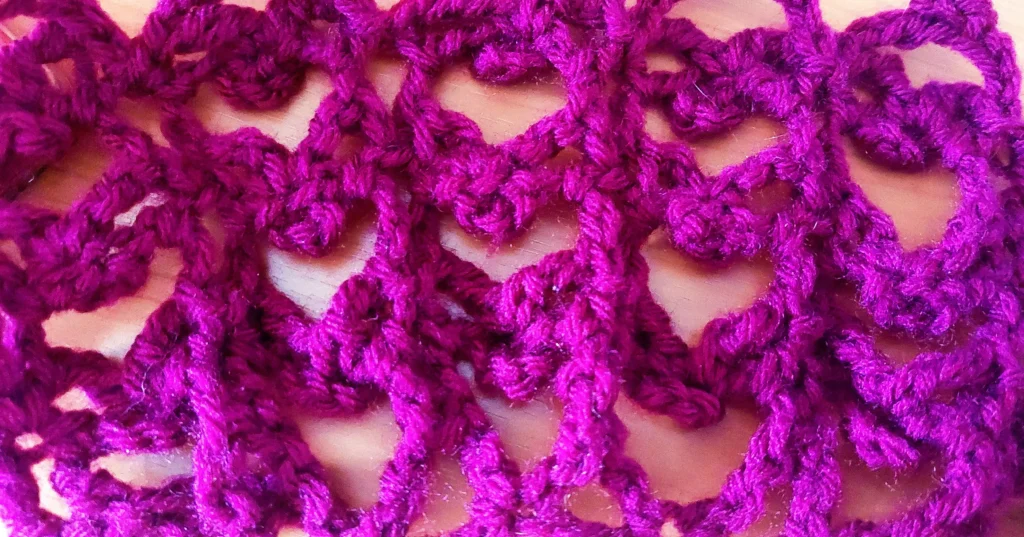
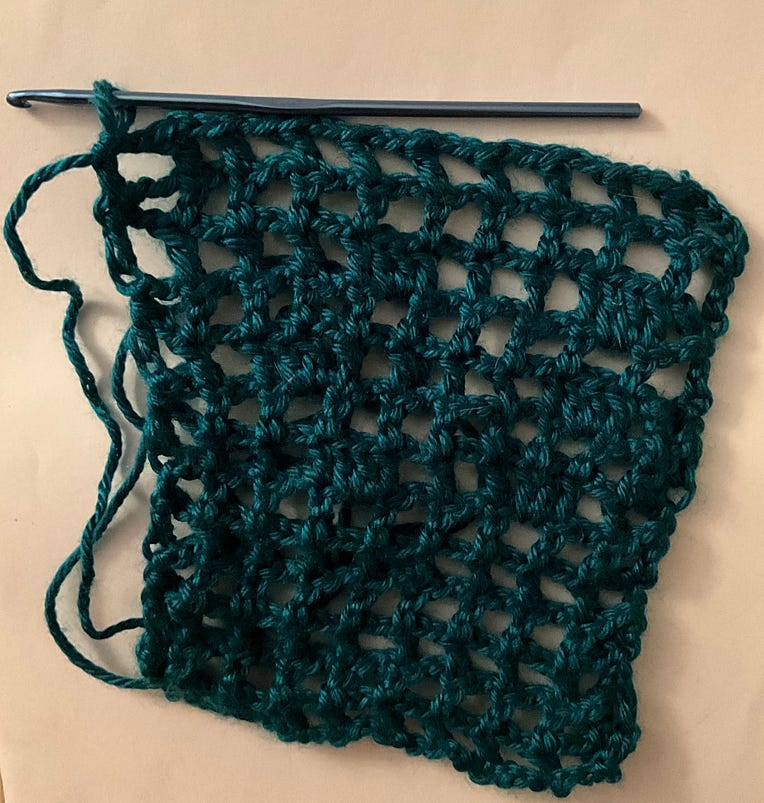
Filet Crochet: This crochet sequence creates open or filled squares (closed work with stitches filling the empty spaces) to create intricate lace patterns and images, perfect for heirloom-quality projects.
The filet method is a personal favorite of mine because it creates a more openwork fabric for pieces to flow.
Also, the filet fabric is a mesh/netting type developed to create fashionable pieces such as dresses, scarves, shawls, and other fashion items that give a light, breezy feel when worn.
Photo by Author
Hopefully, this post provided a comprehensive guide to crochet stitches for any beginner looking to try it as a new hobby. The possibilities are endless for what unfolds from a strike of inspiration.
Whether you’re a beginner exploring the fundamentals or an experienced crocheter seeking new challenges, these stitches will inspire you to create stunning works of art.
So pick up your hook, choose your yarn, and let your imagination run wild as you embark on your next crochet endeavor!